
Key takeaways
- A pain-free desk comes from three adjustments: top of screen at or slightly below eye level, elbows bent between 90 and 120 degrees, and feet flat on the floor.
- Low back pain is the single leading cause of disability worldwide, and your desk posture is one of the few risk factors you fully control.
- In Sri Lankan homes, heat and glare matter as much as posture: position your desk to avoid direct afternoon sun and add a small fan for airflow.
- You do not need to spend a fortune. A laptop stand, an external keyboard and a monitor riser deliver the biggest comfort gains for the least money.
- Build your setup in order: chair first, then screen height, then keyboard and mouse, then lighting and cable tidy-up.
A comfortable, pain-free ergonomic home office setup comes down to a handful of adjustments you can make today: getting your screen to eye level, your elbows at a relaxed angle, and your feet flat on the floor. Everything else, from the chair you choose to the lighting you add, builds on those three basics. This guide walks you through each one, with the local realities of a Sri Lankan home, warm afternoons, tricky glare and a real budget, kept firmly in mind.
If you have been working from your dining table or sofa and your back has started to complain, you are in good company. Low back pain is the single leading cause of disability worldwide, affecting an estimated 619 million people in 2020, a figure the World Health Organization projects will climb to 843 million by 2050 as populations grow and age (WHO). The good news is that your desk is one of the few places where you have direct control over the risk.
Essential principles behind an ergonomic home office setup
Ergonomics sounds technical, but the core idea is simple: your body should stay in a neutral, relaxed posture while you work, not stretched, hunched or twisted. When your joints sit in their natural mid-range positions, your muscles do less work to hold you up, and you feel fresher at the end of the day.
Three principles carry most of the weight:
- Neutral neck and spine. Your head is heavy. When you look down at a laptop for hours, your neck muscles strain to hold it. Keeping your screen high enough to look straight ahead protects your neck and upper back.
- Relaxed shoulders and arms. Your elbows should stay close to your body and bend somewhere between 90 and 120 degrees, so your forearms float roughly parallel to the floor while typing.
- Supported lower back and feet. A chair that supports the natural curve of your lower back, with your feet flat on the floor, takes pressure off the spine and improves circulation.
These are not opinions. They line up with the guidance in the official OSHA computer workstations resource, which recommends a neutral body position with the head level, shoulders relaxed and feet fully supported (OSHA).
Why it matters more at home
Offices are usually kitted out with adjustable chairs and proper desks. Home setups often are not, which is exactly why a little intentional planning pays off. The same body that felt fine at the office can start aching within weeks at a badly set-up home desk.
Positioning your screen, keyboard and chair correctly
Getting the layout right is the highest-value thing you can do, and it costs nothing to start. Work through these in order.
Set the chair first
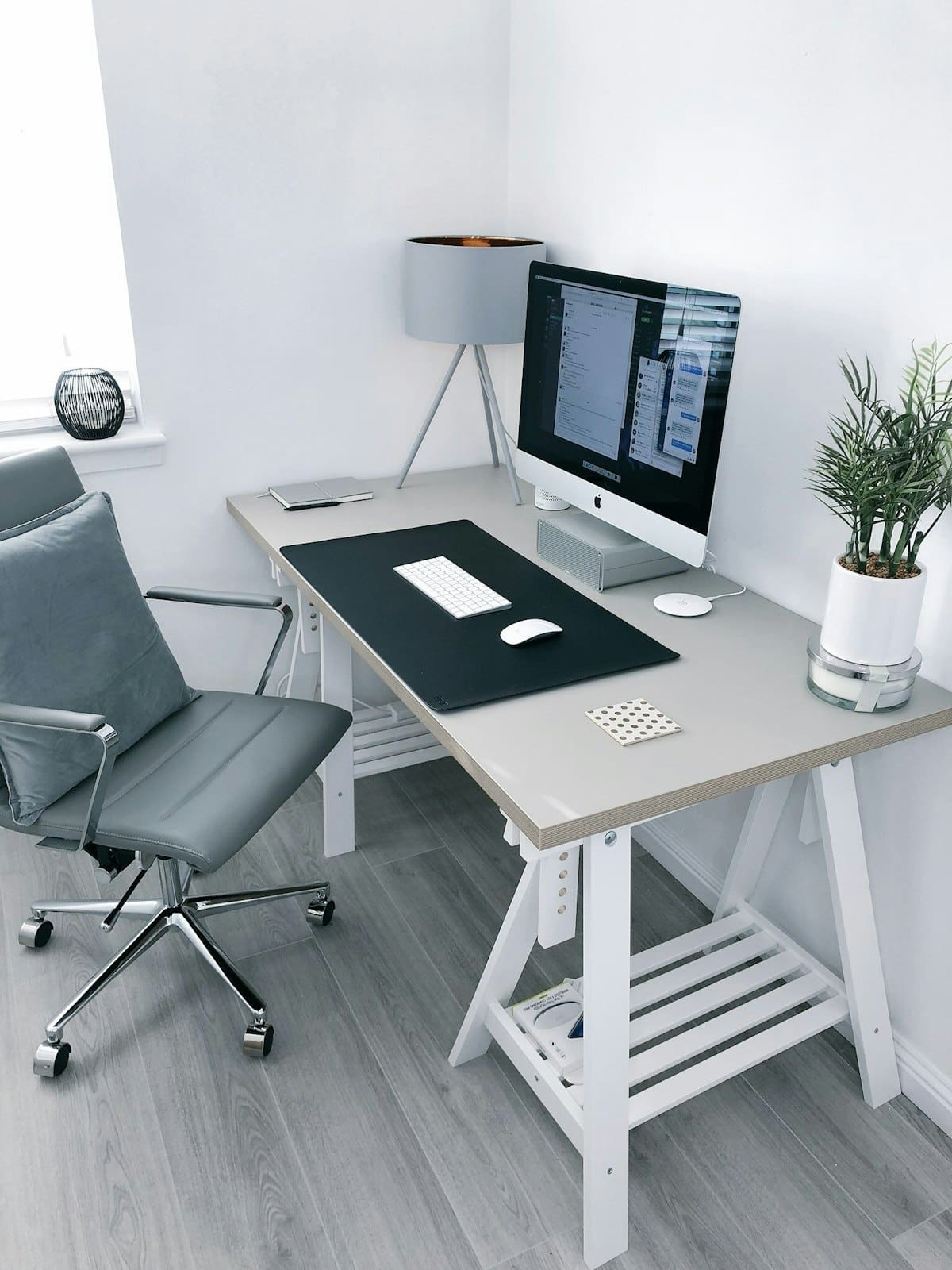
Adjust your seat height so your feet rest flat on the floor and your thighs are roughly parallel to the ground. If your desk is too tall to allow that, raise the chair and add a footrest, a sturdy box or even a stack of old books works in a pinch. Your lower back should feel supported by the backrest; a small cushion helps if it does not. If your current chair is past saving, it is worth researching how to choose a proper ergonomic chair before you buy.
Position the screen
Once you are seated properly, sort out the screen:
- Sit back comfortably and look straight ahead. That eye-level line is where the top of your screen should sit, or just slightly below it.
- Place the monitor about an arm's length away, roughly 50 to 70 cm from your eyes.
- Centre it directly in front of you so you are not twisting your neck to one side.
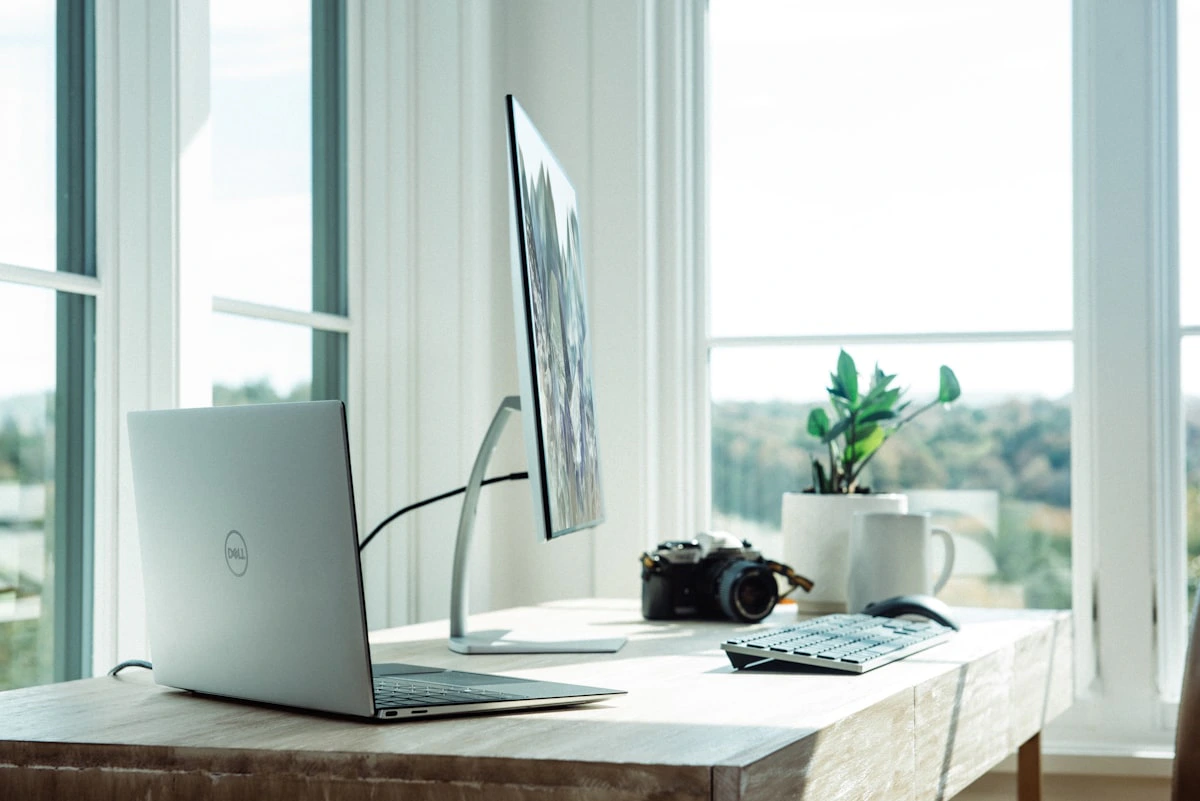
Laptop users have a built-in problem here: the screen and keyboard are joined, so you cannot fix both at once. The fix is to raise the laptop on a stand and plug in a separate keyboard and mouse. If you run two screens or want fingertip control over screen height, a monitor arm frees up desk space and makes fine adjustments effortless; our monitor arm setup guide covers the details.
Place the keyboard and mouse
With the screen sorted, bring the keyboard close enough that your elbows stay near your body and bent comfortably. Keep your wrists straight and floating, not bent up or resting hard on the desk edge. Your mouse belongs right beside the keyboard at the same height, so you are not reaching forward or out to the side all day.
Managing heat and lighting in local home offices
This is the part generic ergonomic advice skips, and it matters a lot here. A Sri Lankan home office has to cope with warm afternoons, bright tropical light and the occasional power interruption.
Keep cool and comfortable
Heat makes you slump and lose focus. A few practical moves help:
- Position your desk where you get natural cross-ventilation, near a window that catches a breeze rather than in a stuffy corner.
- Add a small desk or pedestal fan for direct airflow on hot afternoons.
- Give your laptop room to breathe. A laptop stand does double duty here, lifting the screen while letting air circulate underneath so the machine runs cooler and quieter.
Get the lighting right
Glare is the silent productivity killer. Harsh sunlight bouncing off your screen forces you to squint and lean in, which wrecks your posture. Aim for these:
- Position the screen side-on to windows, not facing them (which causes glare) and not with your back to them (which throws reflections onto the screen).
- Use soft, indirect daylight where you can, and draw a sheer curtain during the brightest hours.
- Add a task light for early mornings and evenings. A warm, adjustable desk lamp reduces the contrast between a bright screen and a dark room, which eases eye strain.
Good lighting is one of those upgrades you feel immediately, especially if you often work past sunset.
Budget-friendly upgrades that make the biggest difference
You do not need to spend a fortune to work comfortably. Here is where your rupees go furthest, roughly in order of impact per rupee.
The essentials (biggest gains, smallest cost)
- Laptop stand: The single best value upgrade. It raises your screen toward eye level and improves airflow. Pair it with a separate keyboard and mouse and you have solved the laptop posture problem for a modest outlay.
- External keyboard and mouse: Once your laptop is up on a stand, these are non-negotiable. They let your hands stay low while your eyes look ahead.
- Monitor riser or arm: If you use an external monitor, a simple riser lifts it to the right height. A monitor arm costs more but gives you full adjustability and reclaims desk space.
Worth it as you grow
- A proper chair: Genuinely the best long-term investment for your back. If a full ergonomic chair is out of reach for now, plan the spend and save toward one rather than settling for a stool that leaves you aching.
- A desk mat and cable management: A large mat gives your mouse a smooth surface and tidies the look of the desk, while a few cable clips stop the tangle of chargers and cords that gathers dust and trips you up.
- A height adjustable desk: A nice-to-have rather than a must-have. Being able to alternate between sitting and standing is good for circulation, but only worth it once the basics above are in place.
When you are ready to buy, look for authentic products with real manufacturer warranties and islandwide delivery. At Lakshan, we stock ergonomic laptop stands, monitor arms, risers, desk organisers and lighting as an authorised dealer, so what arrives at your door is the genuine article, backed by a warranty rather than a gamble.
A simple checklist for a pain-free workspace
Run through this once you have your desk set up, and revisit it every few weeks. If you can tick every box, your body will thank you.
- Feet flat on the floor (or on a footrest), thighs roughly parallel to the ground.
- Lower back supported by the chair's backrest or a cushion.
- Elbows close to the body, bent between 90 and 120 degrees.
- Wrists straight and relaxed while typing, not bent or resting hard on the desk.
- Top of the screen at or just below eye level.
- Screen about an arm's length away and centred in front of you.
- Laptop raised on a stand, with a separate keyboard and mouse.
- Desk positioned side-on to windows to avoid glare.
- A fan or good airflow for warm afternoons.
- A warm task light for early and late hours.
- Cables tidied and out of the way.
One more habit beats any piece of gear: move regularly. Even the best-set-up desk is not meant to hold you still for eight hours. Stand up, stretch and walk around for a minute or two every half hour. Your spine is built to move, and short breaks reset your posture better than sheer willpower ever will.
Ready to start? Pick the one item from the essentials list that fixes your biggest daily annoyance, most people find that is the laptop stand, and add it this week. Then work down the checklist over the coming month. A happier, healthier desk is closer, and cheaper, than you think.
Frequently asked questions
What is the correct monitor height for an ergonomic home office?
The top of your screen should sit at or slightly below eye level, positioned about an arm's length away. If you wear bifocals, lower it a little further so you are not tilting your head back.
Do I really need a standing desk to work comfortably at home?
No. A standing desk is a nice option for alternating positions, but correct chair height, screen position and keyboard placement matter far more. Start with those before spending on a height adjustable desk.
What is the cheapest way to improve my home office ergonomics in Sri Lanka?
A laptop stand paired with a separate keyboard and mouse is the single best low-cost upgrade. It lifts your screen to eye level while keeping your hands at a comfortable typing height.
How do I manage heat and glare in a Sri Lankan home office?
Place your desk so your screen sits side-on to windows rather than facing or backing them, use a fan or good cross-ventilation, and add a warm task light for early mornings and evenings.