
Key takeaways
- Most desk-related neck and back pain comes from a screen that sits too low and a chair that offers no lower-back support, both of which pull your spine out of its natural shape.
- The fastest free fix is raising your screen so the top sits near eye level, which stops the forward head tilt that strains your neck.
- Movement matters more than any single posture, so stand, stretch or walk for a minute or two every half hour.
- Lasting comfort usually needs two upgrades working together: a supportive chair and a way to lift your screen, such as a monitor arm or riser.
If your neck aches by mid-afternoon or your lower back nags after a long day, the cause is usually your setup, not your body. Desk posture pain relief comes from a handful of small changes: lifting your screen to eye level, giving your lower back real support, and moving more often than you think you need to.
You do not have to buy anything to feel better today. Some of the best fixes are free adjustments you can make in the next five minutes. Others are worth investing in once you know what actually helps. This guide walks through both, so you can turn your desk into a place that supports you instead of wearing you down.
Back pain is not a niche problem. According to the World Health Organization, low back pain affected 619 million people globally in 2020, and cases are projected to rise to 843 million by 2050. The WHO calls it the single leading cause of disability worldwide. Your desk habits are one of the few parts of that picture you can control directly.
What Causes Desk-Related Neck and Back Pain
Most desk pain traces back to one thing: your body holding an awkward position for hours at a time. When your spine drifts out of its natural curves and stays there, muscles that were meant for short bursts of effort end up straining all day. That slow, steady load is what turns into stiffness, aching and eventually real pain.
The usual culprits are easy to spot once you know what to look for:
- A screen that sits too low. Looking down at a laptop pulls your head forward. Your head is heavy, and every centimetre it drifts in front of your shoulders multiplies the strain on your neck.
- A chair with no lower-back support. Without something filling the curve of your lower spine, you slump. That rounds your back and loads the discs and muscles you rely on to sit upright.
- A desk at the wrong height. Too high and your shoulders creep up toward your ears. Too low and you hunch to reach the keyboard.
- Staying still for too long. Even a perfect position becomes a problem if you never leave it. Muscles stiffen, circulation drops, and small aches build.
If you want the full picture on arranging a workspace around your body, our guide on how to set up an ergonomic home office in Sri Lanka covers the whole desk from the ground up.
How Screen and Chair Height Affect Your Spine
Your spine has natural curves, and comfortable sitting keeps those curves supported rather than flattened or exaggerated. Two things decide whether that happens: how high your screen sits and how well your chair holds your lower back. Get these right and most desk pain fades on its own.
Why Screen Height Matters So Much
When the top of your screen sits near eye level, you look slightly downward with your head balanced over your shoulders. Your neck muscles barely have to work. Drop that screen down to laptop height and everything changes. Your chin tucks, your head tilts forward, and the muscles running up the back of your neck stay tensed for hours to hold that weight in place. That constant tension is one of the most common sources of end-of-day neck pain.
The target is simple. The top edge of your screen should land at or just below eye level, sitting about an arm's length away. From there you glance down a few degrees to see the middle of the screen, which is the most relaxed position for your neck.
Why Chair Support Changes Everything
Your chair does more than hold you off the floor. A good one supports the inward curve of your lower back so you can sit tall without effort. When that support is missing, you naturally sink into a slump, which rounds your spine and puts steady pressure on the muscles and discs of your lower back.
The height matters too. When your seat is set correctly, your feet rest flat on the floor and your knees sit roughly level with your hips. That keeps your pelvis in a neutral position, which is the foundation everything above it depends on.
Quick Desk Posture Pain Relief You Can Try Today
You can relieve a lot of desk pain in the next few minutes without spending a rupee. These adjustments work because they put your spine back into its natural shape and stop the small strains before they build up.
- Raise your screen. If you use a laptop, prop it on a stack of books until the top of the screen reaches eye level. Add an external keyboard so your hands stay low while your eyes look ahead.
- Sit all the way back. Slide your hips to the back of the chair so its backrest can actually support your spine. A rolled-up towel behind your lower back works well if your chair lacks support.
- Drop your shoulders. Lower your keyboard and mouse so your elbows rest near your sides at roughly a right angle. This stops your shoulders from hunching upward.
- Get your feet flat. If your feet dangle, rest them on a box or a thick book. If your knees ride high, raise the seat a little.
- Move the mouse closer. Reaching far for your mouse twists your shoulder all day. Keep it right beside your keyboard.
None of this requires new gear. It only requires noticing where your body is fighting the setup and gently correcting it.
Stretches and Movement Breaks for Desk Workers
The single best thing you can do for your back is move more often. No posture is meant to be held for eight hours straight, and even a good one becomes tiring over time. Short, regular breaks reset your muscles, restore circulation and give your spine a change of shape. Aim for a small break roughly every half hour.
You do not need a gym or a routine. Try these throughout the day:
- Stand and reach. Rise from your chair, lift your arms overhead and gently lean back to open up your chest and lower back. Hold for a few breaths.
- Chin tucks. Sitting tall, draw your chin straight back as if making a double chin. This counters the forward-head position from staring at a screen and eases neck tension.
- Shoulder rolls. Roll your shoulders backward slowly several times to release the tightness that builds between your shoulder blades.
- Seated twist. Turn gently to one side, hold the back of your chair, breathe, then switch. This keeps your mid-back mobile.
- Walk a lap. Getting a glass of water or walking to the window for a minute does more for your back than any single stretch. Movement is the real medicine.
A helpful trick is to attach breaks to things you already do. Stand every time you take a call, or stretch each time you finish a task. Tying movement to existing habits makes it stick.
Long-Term Upgrades for Lasting Comfort
Once the free fixes have done their work, a few targeted upgrades keep you comfortable for the long haul. The goal is to make good posture effortless so you do not have to think about it. Two upgrades tend to matter most, and they work best together.
Lift Your Screen Properly
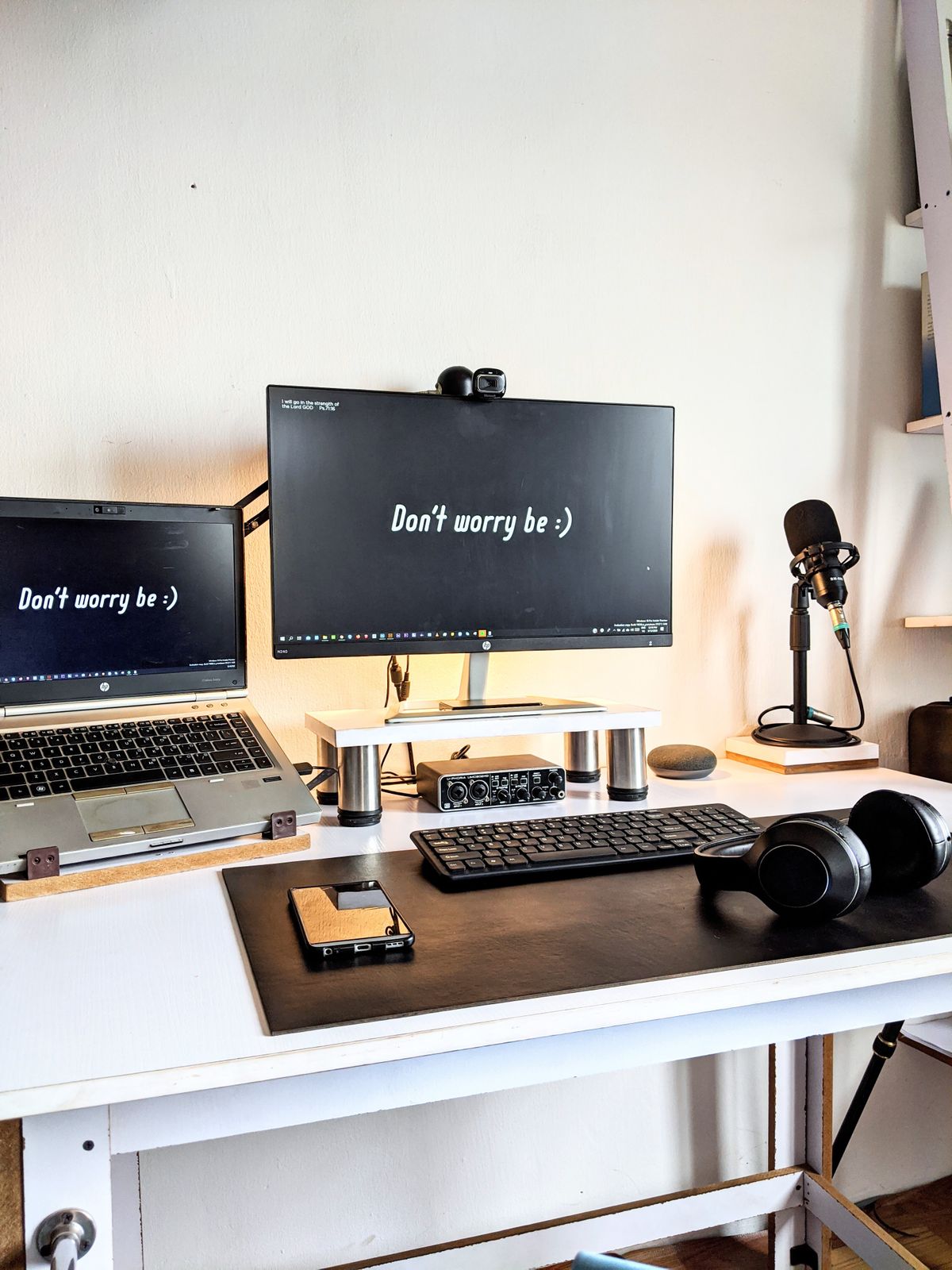
Books under a laptop work in a pinch, but a proper solution frees up desk space and lets you fine-tune the height. A monitor riser is the simplest option, giving your screen a fixed lift while creating room underneath for storage. A monitor arm goes further, clamping to your desk and letting you float the screen to the exact height, distance and angle you want, then move it out of the way when you need space.
If you are not sure which suits you, our comparison of a laptop stand versus a monitor arm lays out the trade-offs clearly. At Lakshan, monitor arms and risers from brands like North Bayou come with manufacturer warranties and islandwide delivery, so you can set your screen right and know it is built to last.
Invest in a Chair That Supports You
A supportive ergonomic chair is the upgrade most people feel the fastest. Look for adjustable seat height, a backrest that follows the curve of your lower spine, and armrests that let your shoulders relax. The difference between a chair that fights your back and one that supports it is the difference between dreading your desk and forgetting you are even sitting.
Add the Option to Stand
A height-adjustable standing desk lets you switch between sitting and standing through the day. The benefit is the change itself, not standing for hours on end. Alternating positions keeps your muscles active and stops any single posture from wearing you down. Even a couple of transitions a day can make a noticeable difference.
Here is a quick way to prioritise if you are upgrading gradually:
- Start with your screen height, since a riser or monitor arm is affordable and fixes the most common source of neck pain.
- Upgrade your chair next, because lower-back support underpins everything else.
- Add a standing desk last, once the fundamentals are in place, to give yourself the freedom to keep moving.
Your desk should leave you feeling as good at 5pm as you did at 9am. Pick the one change that matches your worst ache right now, whether that is raising your screen tonight or booking time to try a better chair, and make it this week. Small steps add up to a back and neck that stop complaining. If you are ready to build a setup that supports you, browse the ergonomic range at Lakshan and start with the piece your body needs most.
Frequently asked questions
How do I relieve neck and back pain from sitting at a desk all day?
Raise your screen so the top edge is near eye level, sit back into your chair so it supports your lower back, keep your feet flat, and take a short movement break every 30 minutes. These four changes remove most of the strain.
Where should my monitor be to avoid neck pain?
Position the top of the screen at or slightly below eye level and keep it about an arm's length away. This lets you look slightly downward with your head balanced over your shoulders instead of tilted forward.
Can a standing desk fix back pain?
A standing desk helps by letting you change position through the day, but standing still for hours can be as tiring as sitting. The benefit comes from alternating between sitting and standing, not from standing all the time.
How often should I take breaks to protect my back?
Aim for a short break roughly every 30 minutes. Even standing up, rolling your shoulders and walking for a minute resets your posture and eases the load on your spine.