
Key takeaways
- Poor or uneven desk lighting forces your eyes to work harder, which is a leading contributor to the tired, dry, aching feeling many desk workers notice by mid-afternoon.
- Position a desk lamp to the side of your screen and angle it down at your work surface so light never shines into your eyes or bounces off the display.
- Aim for neutral-to-cool white light (around 4000K to 5000K) during focused daytime work, and switch to warmer light in the evening to wind down.
- Place your desk beside a window rather than facing it or backing onto it, and use sheer curtains to soften harsh sunlight.
- The 20-20-20 rule gives your eyes a regular rest: every 20 minutes, look at something 20 feet away for 20 seconds.
If your eyes feel tired, dry or achy by the afternoon, your lighting is often the culprit before your screen is. Fixing the light around your desk is one of the quickest and cheapest ways to work longer without that worn-out feeling. This guide walks you through why poor lighting tires your eyes, how to place a lamp so it helps instead of hurting, and how to balance daylight with your bulbs so your desk feels comfortable from morning to evening.
Eye strain at a desk is common for a reason. A 2023 meta-analysis of 103 studies covering 66,577 people put the global prevalence of computer vision syndrome at 69.0% (95% CI 62.2 to 75.4), which is a lot of sore eyes staring at a lot of screens. The good news is that lighting is a factor you can control today, with small changes and a few well-chosen accessories.
How poor lighting causes fatigue and eye strain
Your eyes are built to adjust constantly, and poor lighting asks them to do that far too often. When a room is too dim, your pupils widen and your eyes struggle to pick out detail. When a bulb or window is too bright behind your screen, your eyes fight the contrast between a glowing display and dark surroundings. Both situations mean tiny focusing muscles work overtime, and that effort shows up as tiredness, blurry vision, dry eyes and tension headaches.
Screens make this worse because we blink less when we concentrate. A slower blink rate dries out the surface of the eye, which adds a scratchy, gritty feeling on top of the focusing fatigue. The American Optometric Association notes that even a couple of hours of daily screen exposure can be enough to bring on digital eye strain symptoms, so most of us are well past that threshold before lunch.
The three lighting problems that cause the most trouble are:
- Too little light, which forces your eyes to strain for detail.
- Glare, where a bright source reflects off your screen or shines into your eyes.
- Harsh contrast, where a bright window or lamp sits next to a relatively dark screen.
Good news: all three are fixable with placement and a sensible lamp, which is where the rest of this guide goes.
Positioning desk lamps to avoid glare
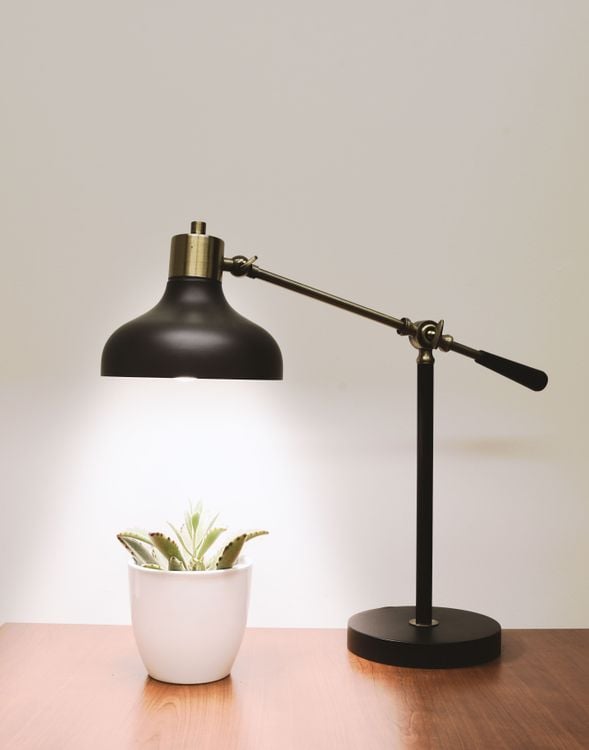
The single biggest mistake is aiming a lamp where you can see the bulb or where its light bounces off your screen. A task lamp should light your work surface, not your eyes and not your monitor. Get the placement right and a modest lamp will do more for comfort than a far brighter one in the wrong spot.
Here is a simple way to set up a desk lamp:
- Place it to the side of your screen, roughly opposite your writing hand. If you are right-handed, put the lamp on your left so your hand does not cast a shadow over your notes.
- Keep the bulb above eye level and out of direct view. You should feel the light on your desk, not see the glare of the bulb when you look ahead.
- Angle the head down toward your work surface, not toward your face or the monitor. Tilt it until the pool of light sits where you read and write.
- Check your screen for reflections. Lean back and look for bright patches on the display. If you see the lamp or a window mirrored on the glass, shift the lamp or turn the screen slightly.
- Match the brightness to the room. A lamp that is far brighter than its surroundings creates its own harsh contrast, so dial it down if it feels like a spotlight.
An adjustable lamp with a movable arm makes all of this easier, because you can nudge the light exactly where you need it. If you are refreshing your whole setup, our guide to the best desk accessories for productivity in 2026 covers lamps alongside the other pieces that make a desk comfortable.
Balancing natural and artificial light
Daylight is the most pleasant light to work in, but only when it is coming from the right direction. The aim is soft, even light across your whole workspace, with your screen brightness roughly matching the light around it. When one source dominates, your eyes pay for the contrast.
For windows, position matters more than size:
- Sit beside a window, not facing it. A window in front of you becomes a glare source that washes out your screen, and a window directly behind you reflects onto the display.
- Place your desk so daylight comes from the side. This lights your work without shining into your eyes or bouncing off the monitor.
- Soften strong sun with sheer curtains or a blind. In Sri Lanka's bright midday light, diffused daylight is far kinder than a direct beam across your desk.
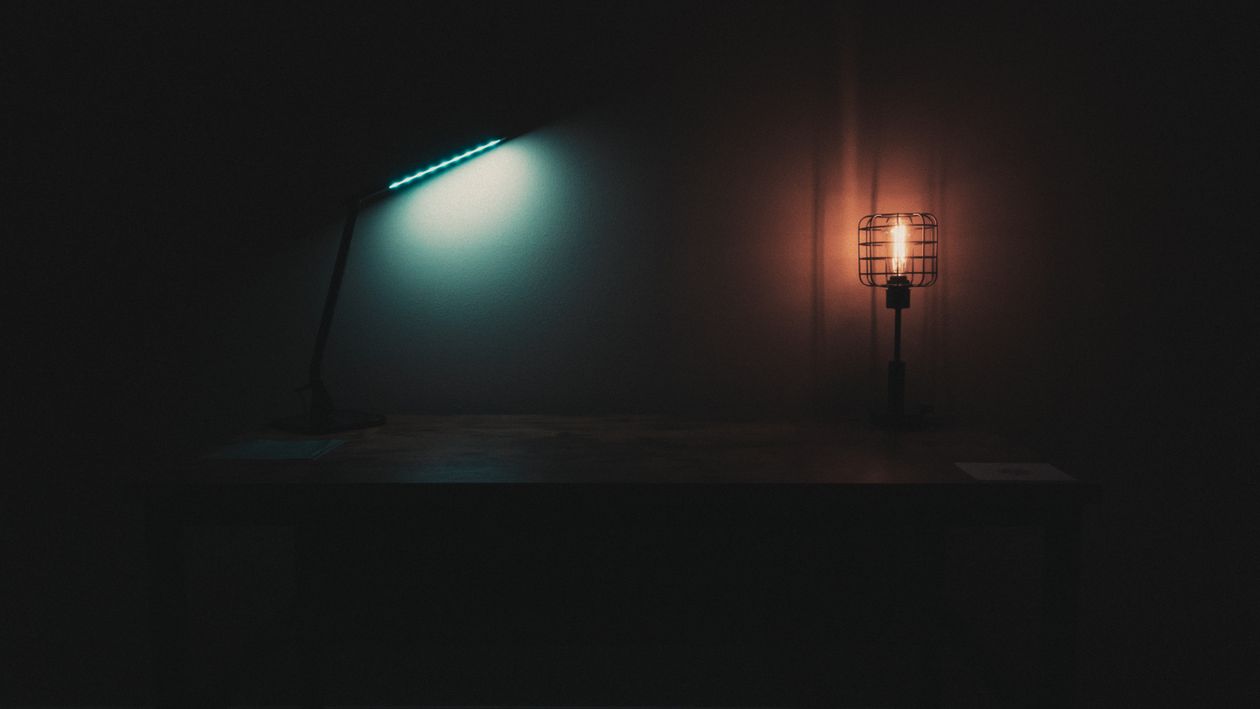
As daylight fades, add artificial light to keep the room balanced rather than letting your screen become the brightest thing in a dark room. A lit room behind a monitor is far gentler on the eyes than a glowing screen in the dark. A good rule of thumb is to keep a soft ambient light on in the background and a focused task lamp on your work surface, so no single source overpowers the rest.
Colour temperature for focus versus relaxation
Colour temperature, measured in Kelvin (K), describes whether light looks warm and yellow or cool and blue. It changes how alert you feel, so matching it to the time of day keeps your eyes and your energy in sync. Lower numbers are warmer; higher numbers are cooler and closer to daylight.
Here is how the ranges tend to feel at a desk:
- 2700K to 3000K (warm white): cosy and relaxing, like a living room lamp. Best for evenings and winding down, less ideal for sharp focus.
- 3500K to 4100K (neutral white): a balanced, natural feel that suits most of the working day.
- 5000K to 6500K (cool white and daylight): crisp and energising, close to midday sun, good for detailed daytime tasks but harsh late at night.
For focused daytime work, neutral-to-cool light in roughly the 4000K to 5000K band mimics daylight and helps you stay alert. As the evening sets in, shifting toward warmer light tells your body it is time to ease off, which is gentler on tired eyes. Many modern desk lamps let you switch between these settings on the fly, so you can follow the day rather than fight it. The tunable lamps and lighting at Lakshan are built around this idea, with adjustable brightness and colour temperature so one lamp covers both focus and relaxation.
Lighting accessories that complete your setup
A single good lamp solves most eye-strain problems, but a few extra pieces round out a workspace that is easy on the eyes and easy to keep tidy. The goal is even light, no glare and a desk that feels calm to sit at.
Accessories worth considering:
- An adjustable task lamp with a movable arm and tunable colour temperature is the workhorse of comfortable lighting. Look for stable build quality and a wide tilt range.
- A monitor light bar clips to the top of your screen and lights your desk without adding glare or taking up surface space, which is ideal for small desks.
- Bias lighting behind your monitor, a soft strip of light on the wall, reduces the harsh contrast between a bright screen and a dark background during night sessions.
- A monitor riser or arm lets you set the screen at the right height and distance, which works hand in hand with good lighting to reduce strain.
Cables tend to multiply once you add lighting, so it is worth tidying them as you go. Our cable management tips for a clutter-free desk will keep the extra power leads from turning into a tangle under your desk.
Whatever you add, remember the free habit that protects your eyes no matter how good your lighting is: the 20-20-20 rule. Every 20 minutes, look at something about 20 feet away for 20 seconds. It relaxes your focusing muscles and gives your blink rate a chance to recover, and it pairs perfectly with a well-lit, glare-free desk.
Start with one change today. Reposition your lamp to the side of your screen, angle it down onto your work surface, and notice how much calmer the glare-free view feels by the end of the afternoon. From there, dial in your colour temperature and daylight, and your desk will be a place you can work from comfortably for hours. When you are ready to upgrade, Lakshan stocks adjustable lamps and monitor lighting with genuine manufacturer warranties and islandwide delivery across Sri Lanka.
Frequently asked questions
Can bad desk lighting really cause eye strain?
Yes. When lighting is too dim, too harsh or creates glare on your screen, your eyes constantly refocus and work harder, which leads to fatigue, dryness and headaches. Correcting your lighting setup is one of the simplest ways to feel more comfortable at your desk.
What colour temperature is best for a work desk?
For focused daytime work, choose a neutral-to-cool white in the 4000K to 5000K range, which feels similar to daylight and helps you stay alert. In the evening, warmer light around 2700K to 3000K is gentler and helps you relax before you finish for the day.
Where should I place my desk lamp to avoid glare?
Put the lamp to the side of your screen, roughly opposite your writing hand, and angle the light down onto your work surface. This keeps the bulb out of your direct line of sight and stops light from reflecting off your monitor into your eyes.
Does a bright room reduce eye strain?
A balanced room helps more than a bright one. You want your screen brightness to roughly match the light around it, with no single glaring source. Soft, even light across the whole room reduces the harsh contrast that tires your eyes.